To check that your column has been recognized as a date or time field, check that the column is assigned the date, time or datetime data type on the Set up columns page.
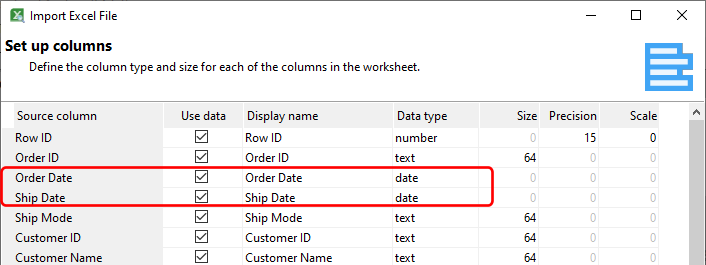
If the date/time column has not been recognized correctly, you will need to make some changes to the source files.
Date/time values in Excel spreadsheets
The easiest way to define a date/time column is to format the column itself in Excel as a date/time column. Usually, if the values appear correctly in Excel e.g.

they will be recognized automatically by Easy Excel Analysis.

Date/time values in CSV files
To import date/time values from CSV files, you need to tell Easy Excel Analysis the date/time format used in the CSV file. For e.g. in the example below, our date is formatted as year-month-date hour:min:sec.

Thus, in our CSV import settings, we need to specify the same format:

If your CSV file uses multiple date/time formats,or you have problems importing, it may be easier to import the file into Excel, format the date/time columns, save the data as an Excel file, then import it into Easy Excel Analysis.