In this screen, you can set up how each column is to be displayed.
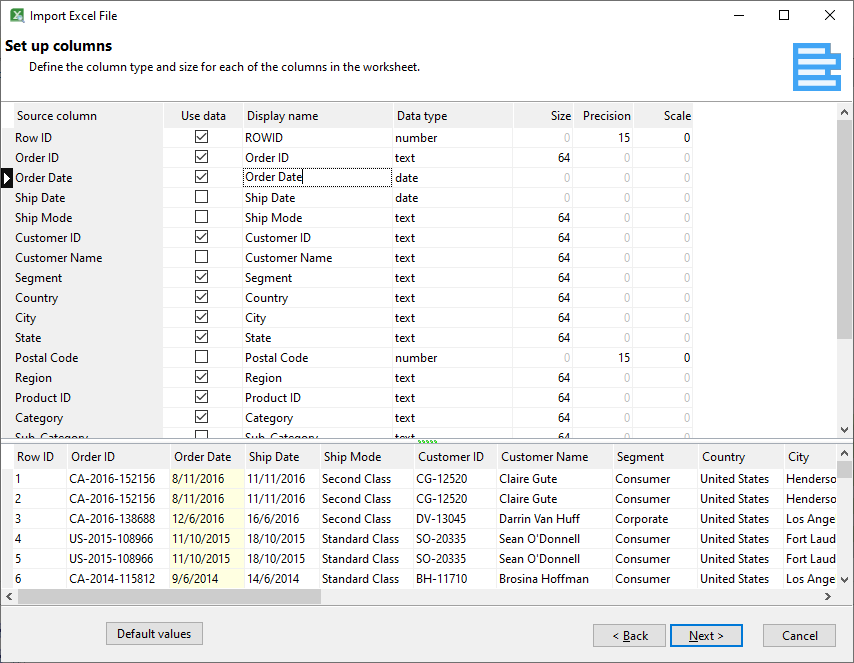
Selecting the correct data type will ensure your data is displayed and processed accurately.
Column |
Description |
Source column |
The column in the selected worksheet that is supplying the data.
|
Use data |
Deselect this option if you don't want to use the data contained in the column.
|
Display name |
The text to display for the column in your analysis tables and pivot tables. The default value is the source column name
|
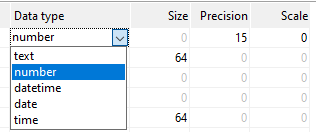
Data type |
If the data type inferred by Easy Excel Analysis is not accurate, you can change the data type here. The available data types are:
|
Size |
This value is only applicable for text data types, and is the maximum length of the text column.
|
Precision |
The precision is the maximum number of digits that a number will contain.
|
Scale |
The scale is the maximum number of digits to the right of the decimal symbol.
|