|
Introduction |
|
|
Using SQL Data Sets |
|
|
The SQL workspace
Once
you have established a connection to a database, SQL Data Sets
creates a SQL workspace.
The left panel displays the connection details, and also a list of
database tables and views.
The main panel is divided into 2 areas. The top panel is where you
enter your SQL queries, and the bottom panel displays the results
of the queries. See this topic for
further details.
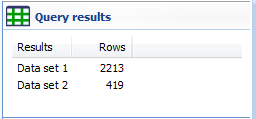
The right panel is subdivided into 3 panels. The top panel displays
a summary of your queries, i.e. the number of data sets returned
and the number of rows for each data set.
The middle panel is where notes are displayed and entered. See this
topic for further
details.
The bottom panel displays any images that may be contained in the
data set. See this topic for
further details.
|